01
Visual builder
Drag, resize, rotate, layers, responsive overrides, live preview, and fullscreen Quick View.
Detailed documentation for creating popup campaigns and static banners, responsive design, display rules, integrations, and privacy-conscious analytics.
Kudonics Promo Banner Builder creates reusable promotional campaigns without an external SaaS: design, targeting, and metrics stay in WordPress. WooCommerce, Elementor, and a third-party page builder are not required for core functionality.
Drag, resize, rotate, layers, responsive overrides, live preview, and fullscreen Quick View.
An automatic popup or a static banner inserted via shortcode, Gutenberg block, or Elementor widget.
Views, clicks, closes, CTR, unique sessions, and breakdowns without an external analytics platform.
| Component | Requirement | Notes |
|---|---|---|
| WordPress | 6.3 or newer | Declared compatibility has been tested up to 7.1. |
| PHP | 7.4 or newer | Use a current PHP branch supported by your hosting provider. |
| JavaScript | Enabled in the browser | Required for the builder, popup triggers, countdown, and metrics tracking. |
| WooCommerce | Optional | Adds the product element and shop/product targeting. |
| Elementor | Optional | Adds two native widgets; core functionality works without it. |
| Database | WordPress-supported MySQL/MariaDB | Two custom tables are used for aggregated metrics and unique sessions. |
For the admin area, modern versions of Chrome, Safari, Firefox, or Edge are recommended. Plugin responsive breakpoints: Desktop — 1025 px and up, Tablet — 768–1024 px, Mobile — up to 767 px.
kudonics-promo-banner-builder./wp-content/plugins/ without an extra nested directory level.manage_promo_banner_builder_campaigns for Administrator and, if present, Shop Manager.promobanner_campaign.The widget provides quick access to campaign creation, the campaign list, and full metrics, and also shows all-time totals.
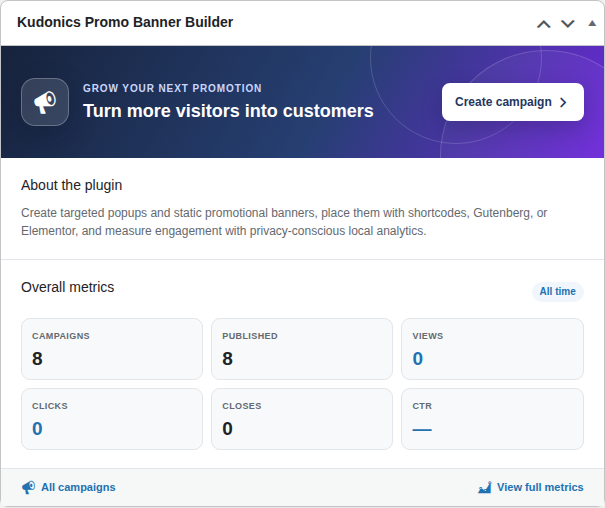
CTR is calculated as clicks ÷ views × 100. Close-button clicks are not included in clicks, so closes are reported separately.
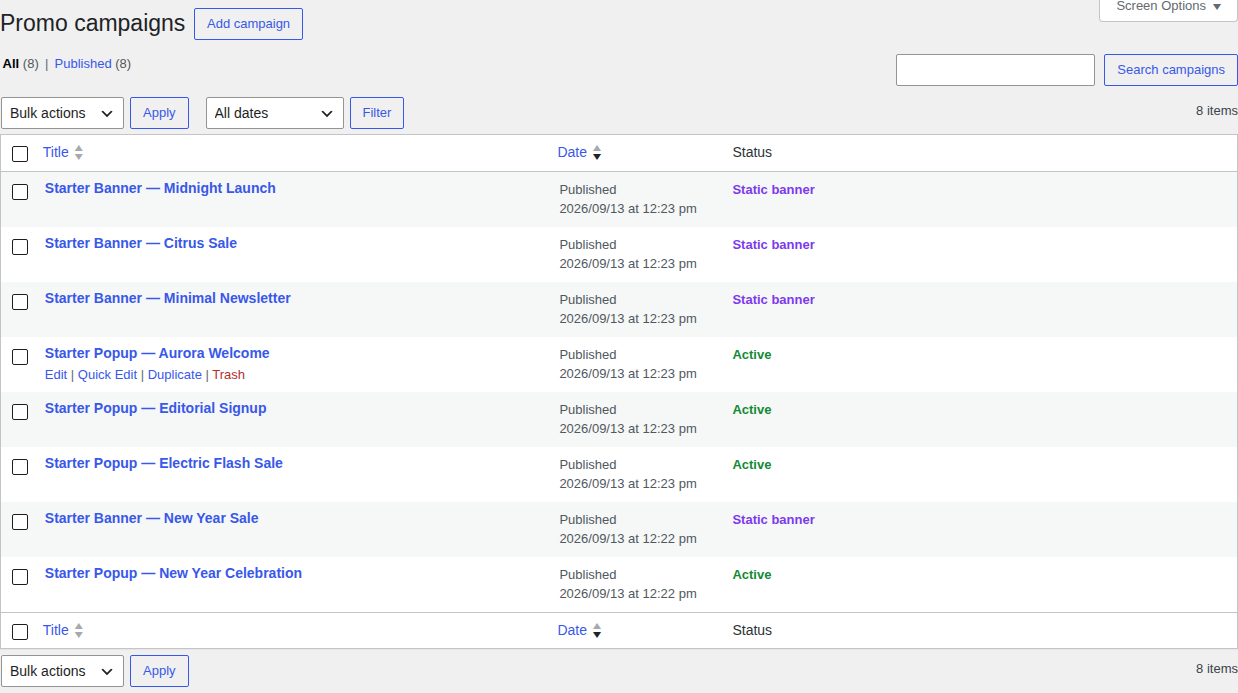
| Status | What it means | Frontend |
|---|---|---|
| Draft | The campaign is being edited but is not available to visitors. | It is not rendered by shortcode, block, widget, or automatically. |
| Published + Active | The popup is published and Enable campaign is turned on. | It can open automatically and manually. |
| Published + Static banner | Static mode. | Rendered only at a manual placement point. |
| Disabled popup | Published, but Enable campaign is turned off. | It does not open even from a manual trigger. |
The Duplicate action creates an exact copy of post data, design/display meta, and taxonomies. The name gets a “Copy” suffix, and the status is inherited — after duplicating, check that the copy has not become active at the same time as the original.
Templates are created as Drafts and serve as fully editable examples. They do not appear on the frontend until you publish them and configure placement/rules.
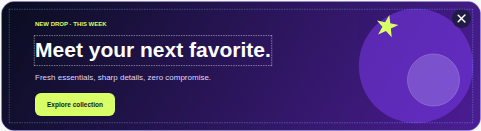
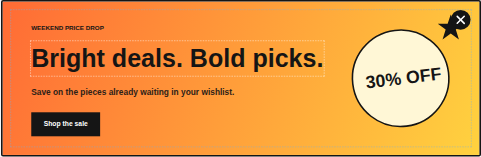
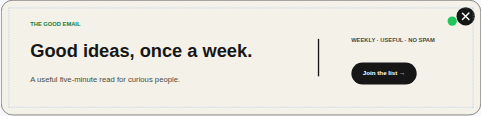
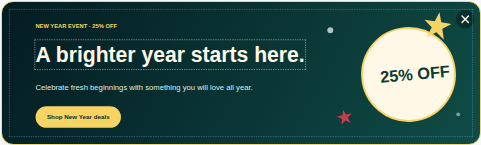
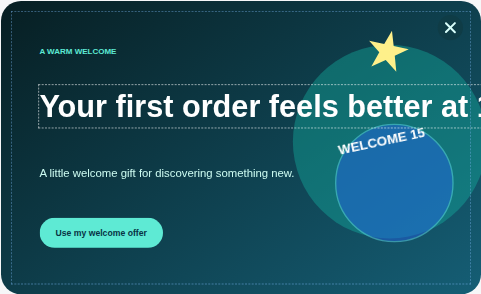
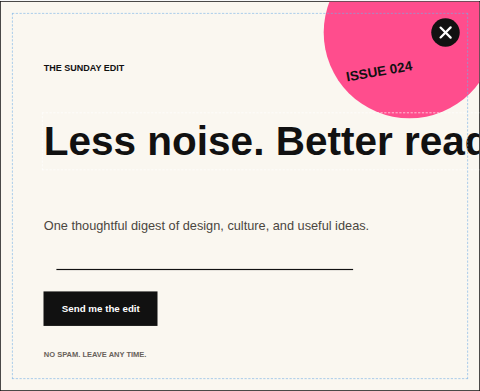
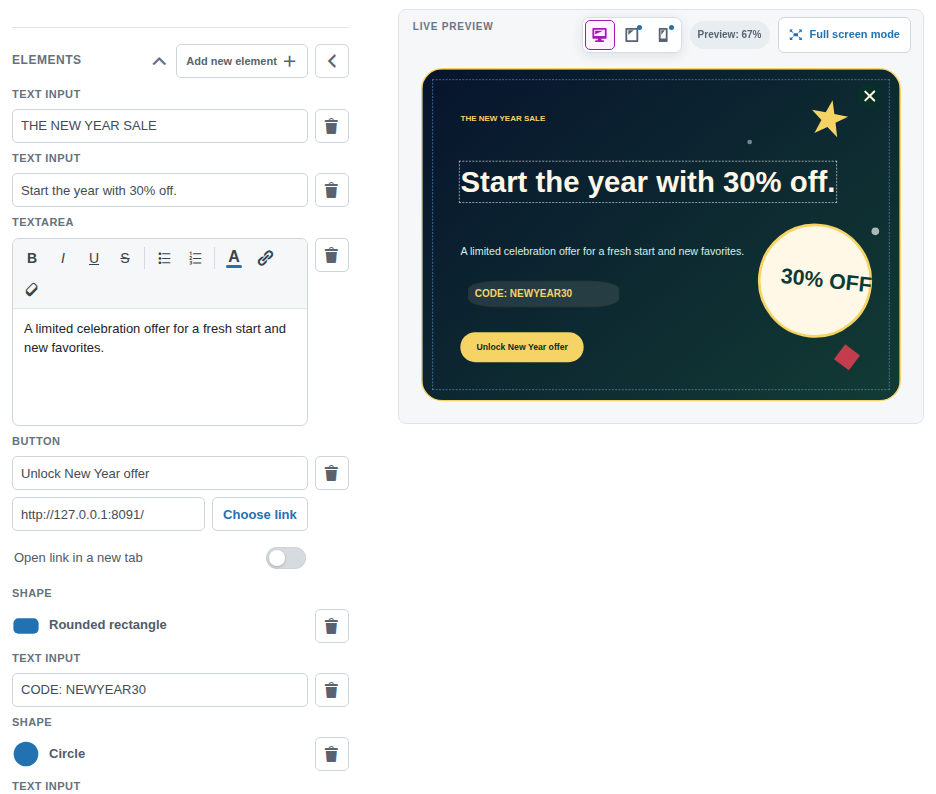
Content for each element, remove controls, and the Add new element button.
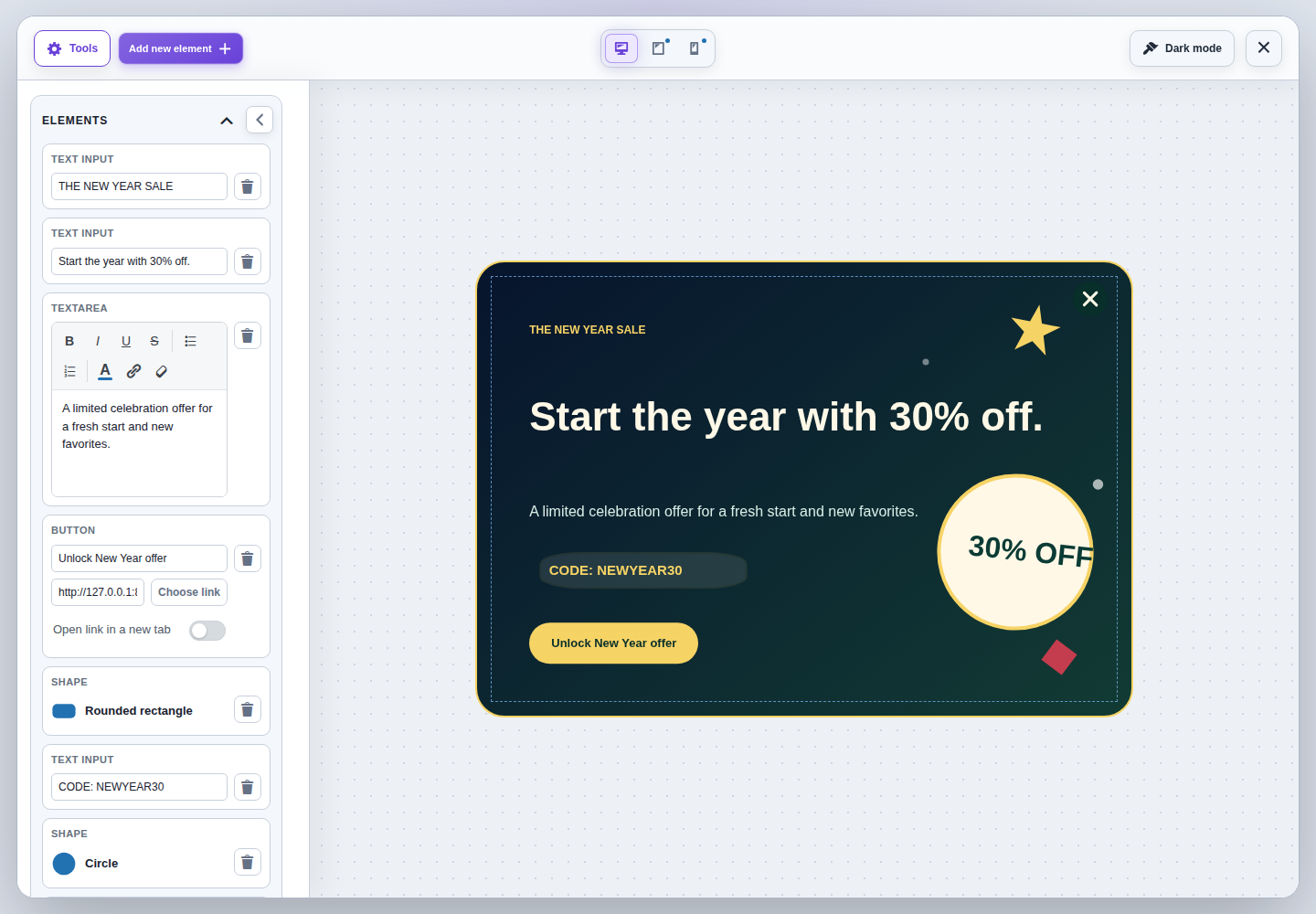
Layering order from front to back with drag reorder and quick commands.
Size, background, border, alignment, or popup position/backdrop.
| Command | The |
|---|---|
| Drag layer | Change the z-order. |
| Bring to front / Send to back | Move to the edge of the stack. |
| Bring forward / Send backward | Move by one level. |
Ctrl/Cmd + ] / Ctrl/Cmd + [ | Forward / backward. |
Add Shift | Immediately to front / back. |
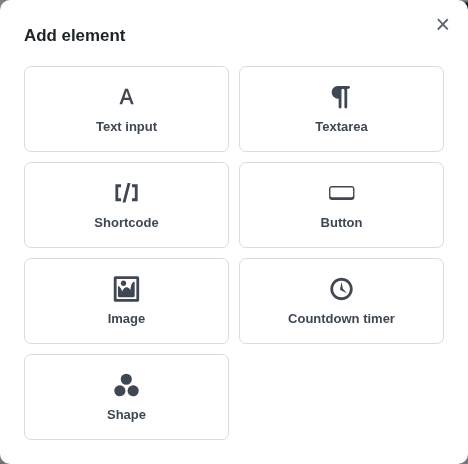
| Element | Purpose | Main settings |
|---|---|---|
| Text input | Single-line label, eyebrow, heading, or code. | Color, size, weight, italic, alignment. |
| Textarea | Multi-line rich text. | Bold, italic, underline, strike, lists, color, link, clear formatting. |
| Shortcode | Third-party output inside the banner. | Shortcode content + entrance animation. Promo shortcodes from this plugin cannot be nested. |
| Button | CTA link. | URL picker, new tab, normal/hover color/gradient, padding, radius, transition. |
| Image | Media Library image. | Width, height, keep proportions, alternative text. |
| Countdown | Timer to an end date with an optional start date. | Labels, title, digit/label/card styles, animation: none/fade/slide/flip. |
| Shape | Decoration, badge, plate, arrow. | Size, fill, border, opacity, rotation. |
| Product | Simple purchasable WooCommerce product. | Title/image/price/add-to-cart parts and separate product card styles. |
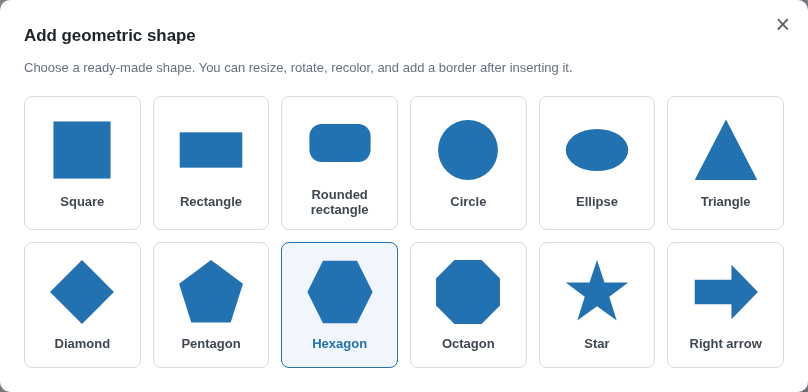
Textarea allows limited safe HTML: strong, b, em, i, u, s, strike, br, p, div, ul, ol, li, span with hex color and a[href]. This means arbitrary scripts/styles are not saved.
[promo_banner] or [promo_popup_button] is blocked, as is excessive recursion.Supported width units are px, % or vw; height units are px or vh; transparent/solid/linear-gradient backgrounds; background image with size/repeat/position; border radius, width, style, and color. Static banners support left/center/right alignment; popups support 9 positions from center to corners and an optional dark backdrop.
| Parameter | Range | Best practice |
|---|---|---|
| Scale X/Y | 0.1–10 | For product elements, proportional scaling is preserved. |
| Rotation | −360°…360° | Moderate angles are easier to read on mobile. |
| Entrance duration | 100–5000 ms | Typically 300–700 ms. |
| Entrance delay | 0–10000 ms | Use this for a staggered sequence. |
| Custom move X/Y | −1000…1100 | Starting point for custom movement. |
| Start opacity | 0–100% | Combine with movement for a softer entrance. |
None Fade in Slide up Slide down Slide from left Slide from right Zoom in Pop Soft bounce Custom movement
Easing: ease-out, ease-in-out, linear, spring. Repeat: once, twice, or loop. Do not use loop on large text blocks — it hurts readability and distracts from the CTA.
Desktop is the base design. Tablet and Mobile store only overrides, so unchanged values are inherited.
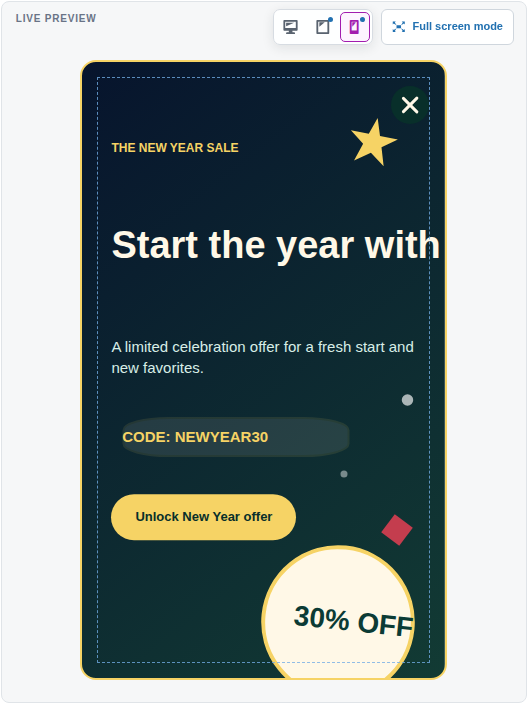
| Mode | Viewport | What can be overridden |
|---|---|---|
| Desktop | 1025 px+ | Full base configuration. |
| Tablet | 768–1024 px | Wrapper, positions, element styles, visibility. |
| Mobile | up to 767 px | Wrapper, positions, element styles, visibility. |
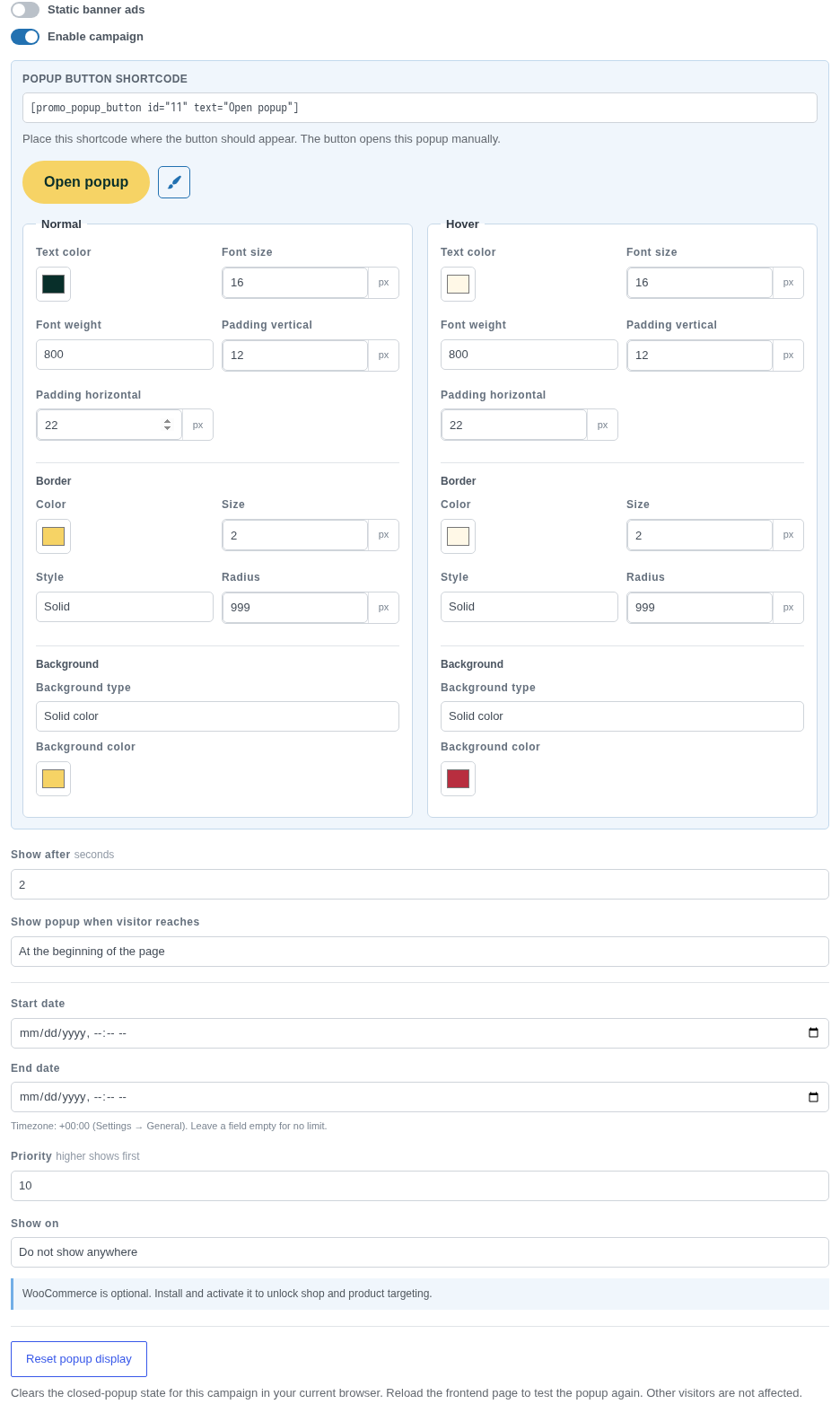
Static banner ads ON disables popup Enable campaign and displays the banner shortcode. Static banner ads OFF creates a popup; for manual trigger/automatic display rendering, Enable campaign.
| Parameter | Value | Behavior |
|---|---|---|
| Show after | 0–60 seconds | Minimum delay after page load. |
| At the beginning | start | The scroll condition is satisfied immediately. |
| In the middle | middle | The visitor must reach approximately the middle of the page. |
| Near the bottom | near_bottom | Displays closer to the bottom of the page. |
If both a delay and scroll trigger are set, the popup opens only after both conditions are met. A manual trigger ignores the automatic page rule and delay, but it does not ignore Publish/Enable or the schedule.
Start/End are entered in the site timezone from Settings → General, stored in UTC, and converted back when editing. An empty Start means “active immediately”; an empty End means “no end limit”.
Range: 0–100. Higher priority is sorted first; when priority is equal, the lower campaign ID comes first. Priority determines the order of automatically eligible popups, but does not replace page/schedule checks.
| Rule | Matches |
|---|---|
| All pages | Any frontend request. |
| Blog pages | Posts index, single posts, categories, tags. |
| Specific pages | Only the selected WordPress Pages. |
| WooCommerce shop pages | Shop, product category, and product tag archives. |
| WooCommerce product pages | Single product. |
| Do not show anywhere | The automatic popup is not shown; manual trigger remains available. |
A closed popup stays hidden until the end of the current browser session. Reset clears dismissal only for the current browser and this campaign; other visitors are unaffected. After reset, reload the frontend page.
[promo_banner id="123"]Campaign 123 must be Published, in Static banner mode, and within its schedule. Page targeting does not apply to static banners: placement is determined by the shortcode itself.
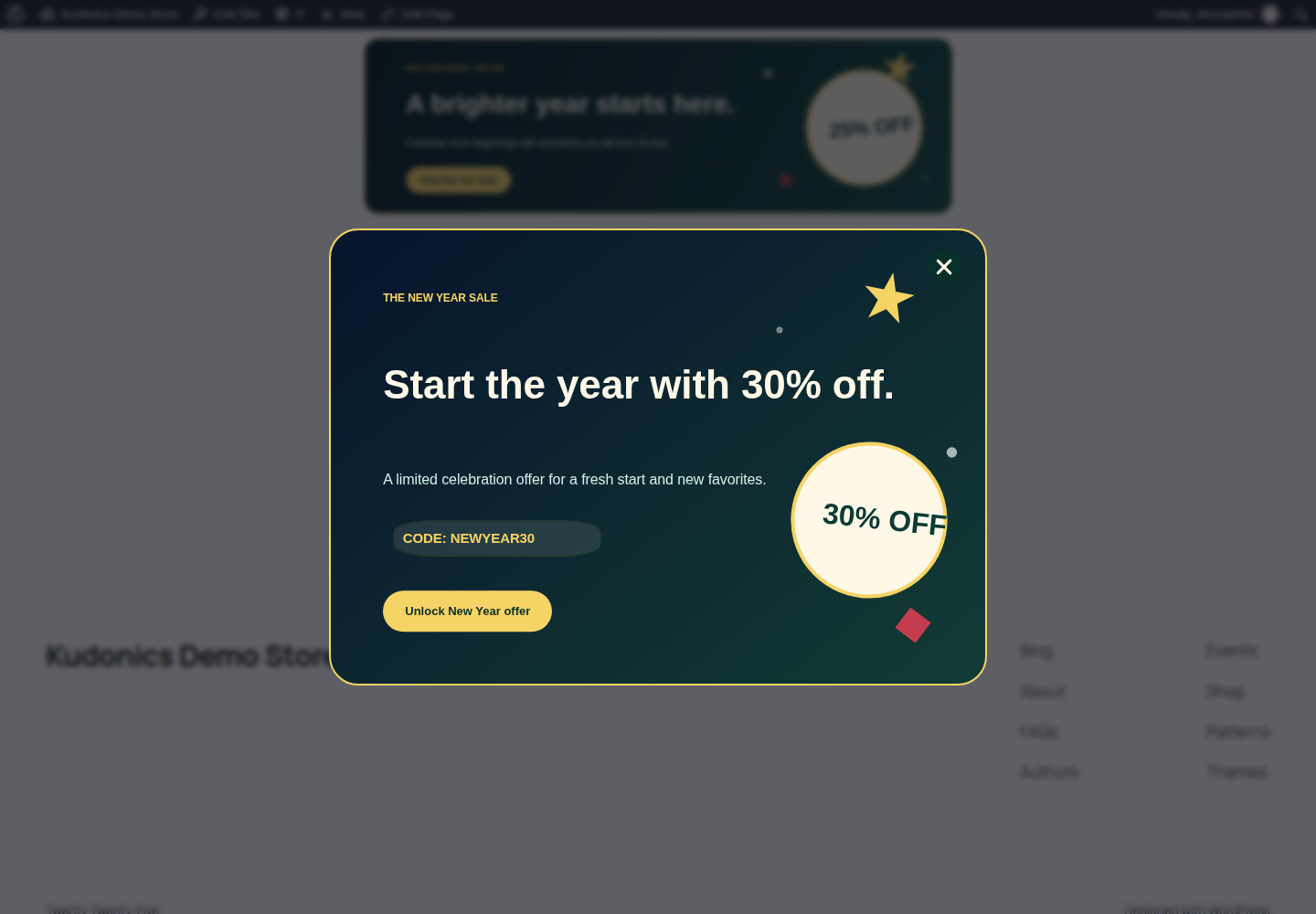
[promo_popup_button id="123" text="Open offer"]Supported attributes are id, text and class. Enclosed content takes priority over text:
[promo_popup_button id="123" class="my-offer-button"]Get discount[/promo_popup_button]do_shortcode() — only in custom development.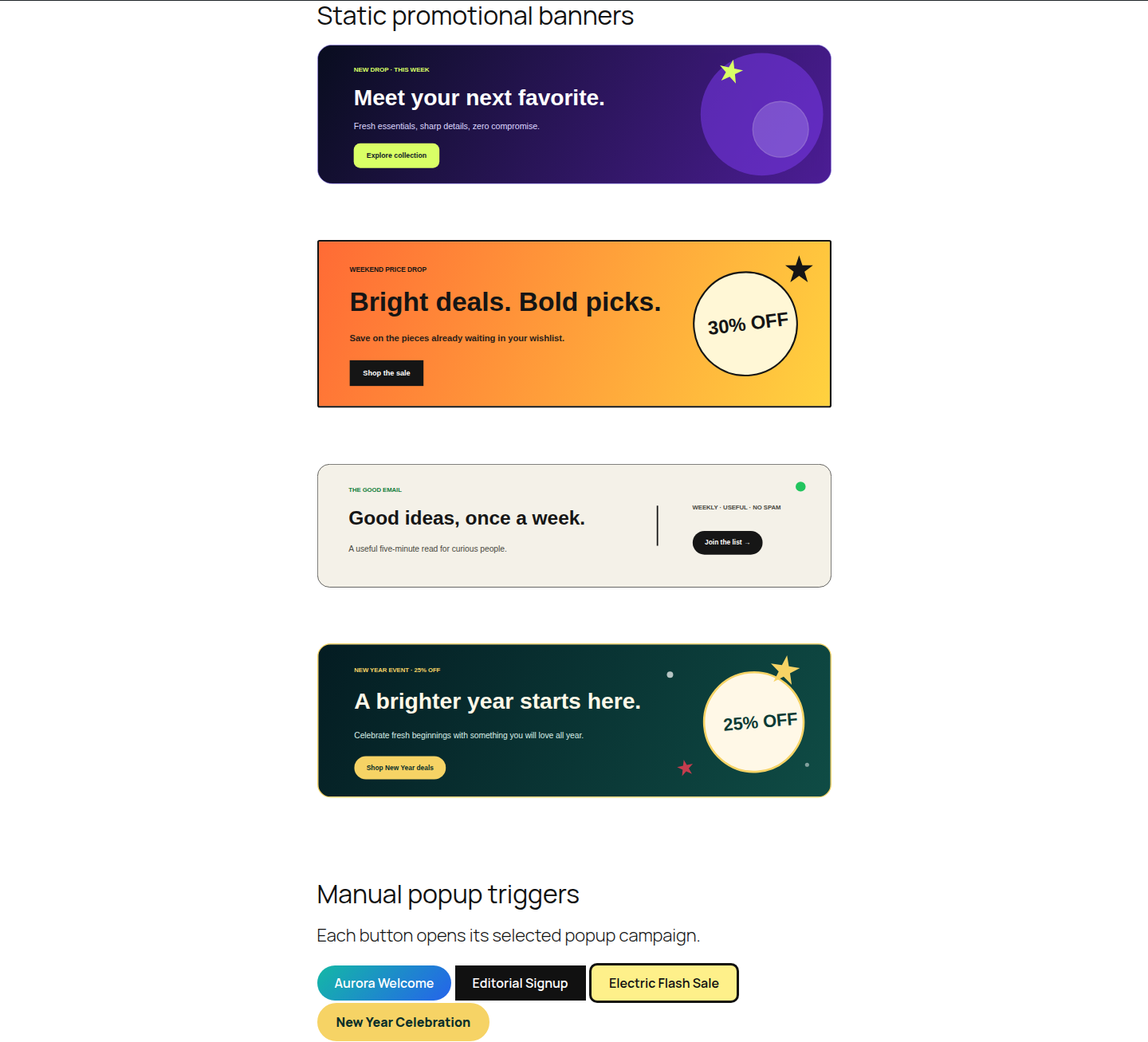
| Block | Namespace | Attributes |
|---|---|---|
| Static promo banner | promo-banner-builder/static-banner | campaignId (number) |
| Promo popup button | promo-banner-builder/popup-button | campaignId, buttonText; align left/center/right |
After Elementor is activated, the category Kudonics Promo Banner Builder appears with the widgets Static Promo Banner and Promo Popup Button. They select a campaign from the list of published-compatible campaigns; the popup widget also has Button Text.
Frontend CSS/JS loads only when there is a matching automatic campaign, shortcode/block/widget placement, or preview context. A theme/renderer can explicitly declare placement through the filter described in Developer reference.
WooCommerce is optional. Without it, the plugin continues to work, and the builder shows an informational note instead of product controls.
Search returns up to 20 published simple products that are purchasable and in stock. You can add title, image, price, and an AJAX add-to-cart button together or selectively.
Card width/padding/radius/background, text/title/price colors and sizes, image width, button background/color/font size/radius/padding. Product scale remains proportional.
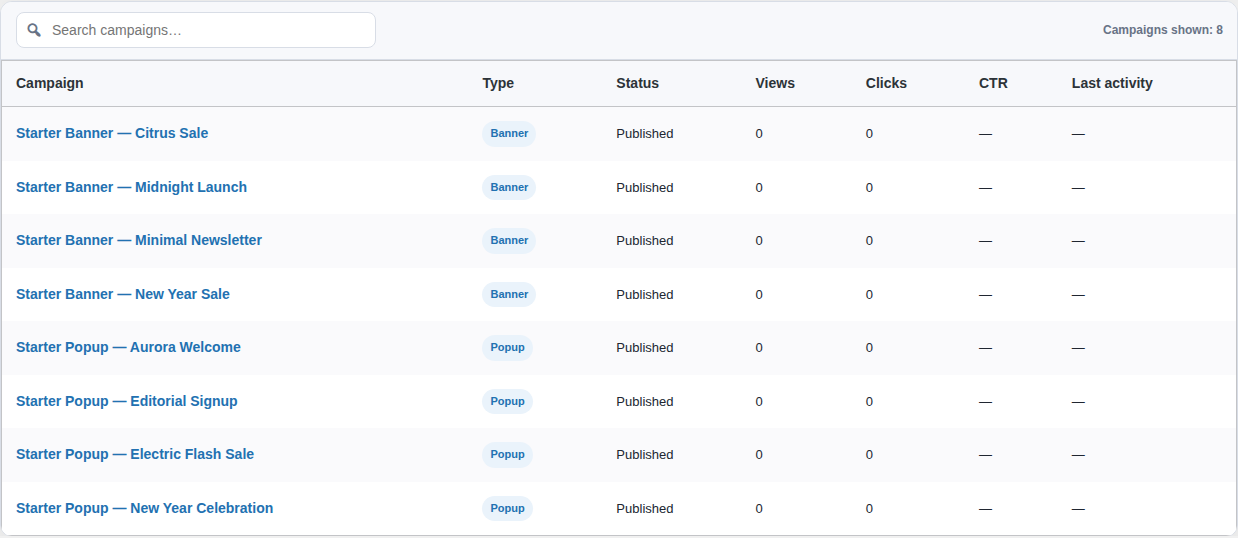
wc-add-to-cart and wc-cart-fragments are enqueued only when a renderable campaign actually contains a product element.Metrics are stored locally in the WordPress database. Overview supports 7/30/90 days or All time, search, CSV export, print, and dark mode.

| Event | When it is recorded | Default rate limit |
|---|---|---|
| View | The campaign enters the viewport. | 10 s per session/event/campaign/day. |
| Click | A click on a tracked campaign element; the close button is excluded. | 1 s. |
| Close | A click on the popup close button. | 10 s. |
An individual campaign shows views, unique sessions, clicks, CTR, closes, close rate, daily activity, and breakdowns: clicks by element, devices, browsers, countries, pages, referrers, languages, and time zones.
Event type, campaign, element ID/type, placement, device category, browser family, page ID/path, referring host, browser language, browser time zone, and country code — only if the hosting/CDN provides it through a supported header.
By default, a maximum of 5,000 new dimension rows per campaign/day and 50,000 unique sessions per campaign/event/day are allowed. Identical dimensions are aggregated into a counter row. Limits and rate intervals can be changed with filters.
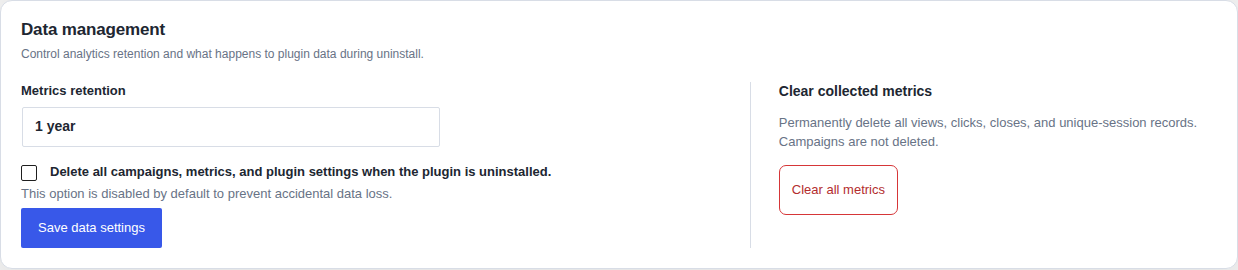
Default — 365 days. Daily WP-Cron cleanup deletes old rows. Available values are 30, 90, 180, 365, 730 days, or indefinitely. If WP-Cron is disabled, configure a server cron to run WordPress cron regularly.
By default, campaigns, metrics, and settings remain after uninstall. To delete everything, first enable “Delete all campaigns, metrics, and plugin settings when the plugin is uninstalled”, save the setting, and only then delete the plugin.
aria-modal, the campaign title as the label, and manages aria-expanded on the trigger.prefers-reduced-motionby disabling transition duration for relevant elements.Managing campaign UI and metrics requires manage_promo_banner_builder_campaigns. The capability is automatically added to the roles administrator and shop_manager. For a custom role, assign the capability through a role-management plugin or code.
noopener noreferrer.admin-ajax.php, consent tooling, and rate limits. Repeated views from the same session within 10 s intentionally do not increase the counter.CF-IPCountry, X-Vercel-IP-Country or GEOIP_COUNTRY_CODE. The plugin does not determine the country from the raw IP.| Type | Identifier |
|---|---|
| Post type | promobanner_campaign |
| Design meta | _promo_banner_builder_design |
| Display meta | _promo_banner_builder_display |
| Capability | manage_promo_banner_builder_campaigns |
| Metrics table | {$wpdb->prefix}promo_banner_builder_metrics |
| Unique sessions table | {$wpdb->prefix}promo_banner_builder_unique_sessions |
| Cleanup hook | promo_banner_builder_prune_metrics |
| Filter | Purpose | Default |
|---|---|---|
promo_banner_builder_should_enqueue_frontend_assets | Notify the plugin about a custom/manual renderer so frontend assets are enqueued. | Detected boolean |
promo_banner_builder_daily_dimension_limit | Max aggregate dimension rows per campaign/day. | 5000 |
promo_banner_builder_metric_rate_limit_seconds | Interval between identical session events. | view 10, click 1, close 10 |
promo_banner_builder_daily_unique_limit | Max unique sessions per campaign/event/day. | 50000 |
promo_banner_builder_country_headers | Allowlisted headers for the ISO country code. | Cloudflare, Vercel, GeoIP headers |
add_filter(
    'promo_banner_builder_should_enqueue_frontend_assets',
    function ( $should_enqueue ) {
        return $should_enqueue || is_page_template( 'templates/promo-landing.php' );
    }
);For integration code, you can get the singleton through \PromoBannerBuilder\Plugin::instance() and use public render methods. In most cases, using a shortcode/block is safer because they also register the required assets and popup footer markup.
decoding="async"; file optimization remains the responsibility of the Media Library/CDN.| Term | Value |
|---|---|
| Campaign | An individual WordPress record that combines design and display configuration. |
| Wrapper | The outer banner container: size, background, border, alignment/position. |
| Element | Text, button, image, shape, shortcode, countdown, or product inside the wrapper. |
| Layer | A z-order level; front overlaps back. |
| Static banner | A campaign rendered only at a manual placement point. |
| Automatic popup | A popup that matches page/schedule rules and opens after trigger conditions are met. |
| Manual trigger | A button shortcode/block/widget that opens a specific popup. |
| CTR | Clicks ÷ views × 100%. |
| Unique session | An anonymous browser session represented by a salted hash. |
| Override | A Tablet/Mobile value that replaces the inherited Desktop value. |